WooCommerce Course Access System
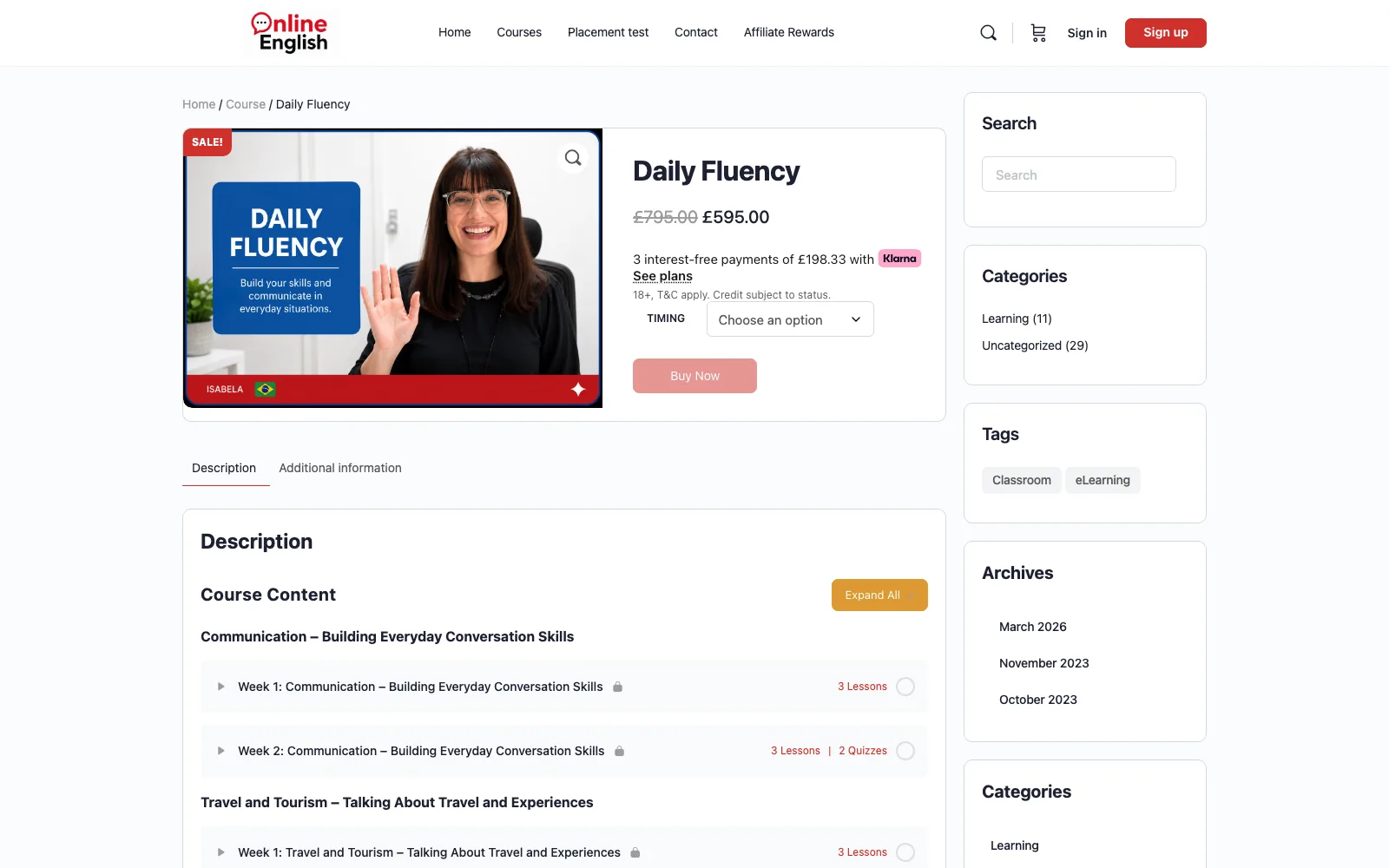
Buy a course, choose when it starts and how long it runs
Two custom plugins for a live English tuition platform: one where the customer selects a course start date and a number of weeks at checkout and access is granted and expired automatically, and one connecting the live lesson sessions into the same course flow.
What this system is
A course business needed to sell time-boxed access rather than a permanent enrolment. Customers pick when their course starts and how many weeks they want, and the system works out the access window, enrols them at the right moment and removes access when the window closes — without anyone doing it by hand.
- Category
- E-commerce / e-learning
- Technologies
- WooCommerceWordPressLearnDashPHPCustom pluginLive lessons
- Client
- Available on request
- Live
- Visit site
What was actually wrong
- WooCommerce sells a product; LearnDash grants a course. Neither has a concept of "starts on this date and runs for this many weeks".
- The available plugin options handled fixed-length or drip-fed access, not a customer-chosen start date combined with a customer-chosen duration.
- Enrolments were being managed manually, which does not scale and produces disputes about when access should have started or ended.
- The rules had to survive WordPress, WooCommerce and LearnDash updates, so editing core or plugin files was not an option.
How it was solved
- A custom plugin adding start-date and duration selection to the product and checkout flow, with validation of what combinations are actually allowed.
- The selections stored as structured order item metadata, so every order carries the exact terms it was purchased under and remains auditable later.
- An access window computed from start date and duration, then used as the single source of truth for enrolment and expiry.
- Enrolment triggered by order completion, with scheduled tasks handling activation on the start date and removal at expiry.
- Admin visibility of each order's access window, and the ability to adjust it when a customer legitimately needs a change.
- All behaviour attached through WooCommerce and LearnDash hooks and filters — no core edits, so updates stay safe.
- A second plugin integrating the live lesson sessions into the course, so a student reaches the class from the course they bought rather than from a link sent separately.
How the system is put together
The parts, and why each one is there.
- 01A self-contained WordPress plugin holding all custom business logic.
- 02WooCommerce hooks for product display, cart validation, checkout capture and order metadata.
- 03LearnDash APIs for enrolment and removal.
- 04WP-Cron scheduled tasks for activation and expiry.
- 05Order item metadata as the durable record of purchased terms.
What it does
The functionality that carries the system, described from the user's point of view.
Start date selection
Customers choose when their course begins, constrained to the dates the business actually allows.
Duration selection
Number of weeks selected at purchase, with pricing and access both derived from that choice.
Calculated access window
Start and end dates computed once and stored with the order, so there is no ambiguity later.
Automatic enrolment
Access granted when the order completes and the start date arrives — no manual step.
Automatic expiry
Access removed at the end of the window by a scheduled task.
Admin overrides
Staff can view and adjust an access window when a customer needs to move their dates.
Live lesson integration
Live video sessions surfaced inside the course itself, keeping the lesson on the same platform as the enrolment that grants access to it.
Stack
Platform
- WordPress
- WooCommerce
- LearnDash
Language
- PHP
- JavaScript
Data
- MySQL
- Order item metadata
Scheduling
- WP-Cron
Live delivery
- Video conferencing integration
Development highlights
The purchased terms live with the order, so changing the rules later never rewrites the history of what a customer actually bought.
Date arithmetic centralised in one place with explicit timezone handling — the usual source of off-by-one-day bugs in access systems.
Expiry is idempotent: running it twice does not double-revoke or produce duplicate notifications.
Written entirely against public hooks and filters, so WooCommerce and LearnDash can be updated normally.
Where it ended up
Described in terms of what the system now does. No invented metrics.
Customers select their own start date and duration at checkout instead of emailing to arrange it.
Enrolment and expiry happen automatically, removing a recurring manual task and the disputes that came with it.
Access rules are defined in one plugin, so changing them later is a contained piece of work.
Building something like this?
Tell me where your situation is similar and where it differs. The differences are usually where the real work is.
Typical first reply within one business day · Lahore, PKT (UTC+5)